
What We Have Covered
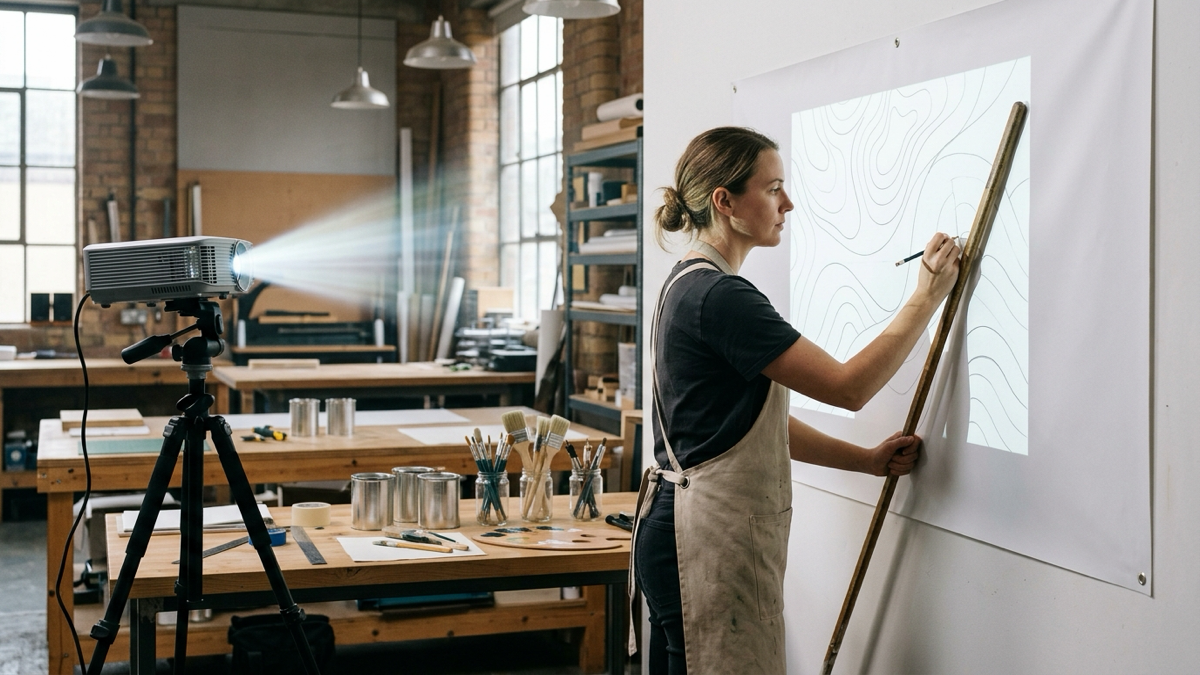
Tracing vector layouts onto an eighteen-foot vinyl banner quickly exposes hardware flaws. Anyone painting commercial signs or exterior banners knows the frustration: set up a conventional projector, and your torso blocks the light the moment you step up to paint. Worse, digital keystone blurs letterforms, turning crisp serif edges into jagged stair-steps.
An effective art projector for tracing signs does not need cinema color gamut or streaming apps. Sign painters need three practical things: enough verified brightness to overpower overhead shop fixtures, an optical throw ratio that keeps body shadows off the canvas, and a stable, squared lens that holds registration until the last line is traced.
ElectronicsFeed may earn a commission when you buy through links on this page.
The table below outlines our top picks across six distinct sign-making jobs, comparing verified brightness, native display resolution, and optical throw.
- Best for Full-Size Vinyl Banners in a Lit Shop: ViewSonic PS502W
- Best for Crisp Lettering, Script Fonts, and Fine Logos: BenQ TH671ST
- Best Purpose-Built Art Projector for Medium Banners: Artograph Inspire 2000
- Best Ultra-Portable Pick for Tabletop Banners: Artograph Flare 500
- Best High-Lumen Value for Bright Spaces: Epson EpiqVision Flex CO-W01
- Best Opaque Projector for Traditional Paper Sketches: Artograph EZ Tracer
Best Projector For Banner Painting Reviews 2026
| Projector | Best For | Brightness (ANSI) | Native Resolution | Throw Ratio |
|---|---|---|---|---|
| ViewSonic PS502W | Full vinyl banners in lit shops | 4,000 ANSI Lumens | WXGA (1280 x 800) | 0.52:1 (Short Throw) |
| BenQ TH671ST | Crisp lettering & script logos | 3,000 ANSI Lumens | 1080p FHD (1920 x 1080) | 0.69 – 0.83:1 (Short Throw) |
| Artograph Inspire 2000 | Studio banners & grid layout | 230 ANSI Lumens | 1080p FHD (1920 x 1080) | 1.2:1 (Standard Throw) |
| Artograph Flare 500 | Tabletop banners & mobile lettering | 400 LED (~150 ANSI) | 720p HD (1280 x 720) | 1.2:1 (Standard Throw) |
| Epson EpiqVision Flex CO-W01 | High-ambient spaces on a budget | 3,000 ANSI/ISO Lumens | WXGA (1280 x 800) | 1.27 – 1.71:1 (Standard Throw) |
| Artograph EZ Tracer | Paper sketches & physical patterns | Opaque Reflection | Optical (Glass lens) | 2x to 10x Magnification |
1. ViewSonic PS502W: Best for Full-Size Vinyl Banners in a Lit Shop
If you need an ultra-bright projector for murals and full-size vinyl signs, the ViewSonic PS502W eliminates the primary bottleneck in large sign painting: body shadows. Its 0.52:1 short-throw lens projects a 100-inch layout from just 3.6 feet away, letting you stand right at the wall with a mahl stick without blocking the beam.
On paper, its 240W lamp pushes 4,000 ANSI lumens, keeping vector outlines crisp under overhead shop fixtures. Native WXGA (1280 x 800) resolution easily handles bold block lettering, though hairline script serifs show mild pixel structure close up.
Who should skip it: Calligraphers needing miniature hairline detail on a desktop, or mobile painters working without AC wall power.
- 0.52:1 short throw keeps your torso clear of the beam
- 4,000 ANSI lumens easily overpowers bright shop lights
- Sturdy chassis with ceiling and tripod mounting threads
- WXGA resolution shows subtle pixel grid on tiny fonts
- Lamp generates heat and fan noise during long sessions
- Fixed lens requires moving the stand to adjust image size
2. BenQ TH671ST: Best for Crisp Lettering, Script Fonts, and Fine Logos
When banner graphics feature ornate scripts, delicate serifs, or multi-colored crests, finding the right projector for lettering becomes crucial. The BenQ TH671ST pairs native 1080p Full HD (1920 x 1080) with a short-throw 0.69 to 0.83:1 optical assembly, projecting a 100-inch graphic from roughly five feet away.
Unlike fixed-lens units, its 1.2x manual optical zoom ring lets you dial in letter heights without moving your tripod across the floor. Based on manufacturer specifications, it delivers 3,000 ANSI lumens and a 10,000:1 contrast ratio, cutting cleanly through ambient studio light.
Who should skip it: Painters needing a battery-powered pocket unit for scaffolding, or hobbyists on a shoestring budget.
- Native 1080p resolution provides clean curves without pixel stairstepping
- 0.69–0.83:1 short-throw lens minimizes body shadows while working close
- 1.2x optical zoom simplifies framing adjustments without losing resolution
- Requires continuous AC mains power (no internal battery)
- Moderately heavy at 5.9 lbs, demanding a sturdy tripod
- Lacks dedicated art grid overlays
3. Artograph Inspire 2000: Best Purpose-Built Art Projector for Medium Banners
Artograph has engineered projection tools for commercial draftsmen for decades. While the older Inspire 1500 was retired, the Inspire 2000 serves as their current flagship digital art projector.
Despite the “2000” in its model name, this unit outputs 230 ANSI lumens, not 2,000. While it will not overpower high-bay shop lights, 230 ANSI lumens provides crisp outlines for five- to eight-foot banners in dimmed studios. It features 96 onboard grid patterns that overlay directly onto artwork, Android 13, auto-focus, and an internal battery providing up to two hours of cord-free tracing.
Who should skip it: Commercial shops painting large vinyl banners under bright shop lights, or anyone expecting 2,000 ANSI lumens.
- 96 built-in grid overlays engineered for scaling typography and baselines
- True native 1080p Full HD resolution ensures clean typographic curves
- Internal rechargeable battery enables up to two hours of cordless tracing
- 230 ANSI lumens requires dimming ambient room lights
- 1.2:1 standard throw requires mindful positioning to prevent body shadows
- Higher cost relative to raw lumen output
4. Artograph Flare 500: Best Ultra-Portable Pick for Tabletop Banners
Not every lettering job happens on an upright wall. Sign painters often letter tabletop runners, parade pennants, or storefront transom glass from a stepladder where a commercial projector is cumbersome.
The Artograph Flare 500 weighs just 0.9 pounds and measures under five inches across. It runs on AC power or an internal battery for up to two hours. On paper, Artograph rates it at 400 LED lumens (roughly 150 ANSI lumens) with native 720p HD resolution. It includes 36 onboard grid patterns and an optical lens capable of focusing down to an image just ten inches diagonal—something standard office projectors cannot pull off on a small drafting table.
Who should skip it: Artists painting wide ten-foot vinyl backdrops in lit shops, or anyone unable to dim nearby lights.
- Featherweight chassis (0.9 lbs) fits into any tool tote
- Built-in battery provides two hours of cord-free tracing
- Focuses sharply down to a 10-inch image on worktables
- 400 LED lumens (~150 ANSI) washes out under ambient shop lighting
- 720p resolution shows pixelation when enlarged past 60 inches
- Standard 1.2:1 throw ratio requires careful stand placement
5. Epson EpiqVision Flex CO-W01: Best High-Lumen Value for Bright Spaces
For verified commercial brightness at an accessible price, the Epson EpiqVision Flex CO-W01 is a proven workhorse. It delivers 3,000 ANSI/ISO lumens using a 3-chip 3LCD engine, eliminating DLP color wheel rainbow artifacts and reducing eye fatigue during long lettering sessions. Epson’s specifications confirm equal color and white brightness (3,000 lumens each), keeping colored logos vibrant under full shop lights. The trade-off is its standard 1.27:1 to 1.71:1 throw ratio, requiring roughly ten feet of clearance for an eight-foot banner.
Who should skip it: Artists in shallow workshops where a ten-foot throw distance is impossible, or painters needing short-throw shadow prevention.
- 3,000 ANSI/ISO lumens of equal white and color brightness cuts through ambient shop light
- 3-chip 3LCD design prevents rainbow artifacts and reduces eye fatigue
- Lightweight for a full-sized unit (5.3 lbs) with simple HDMI plug-and-play
- Standard 1.27–1.71:1 throw ratio requires deep room clearance and risks body shadows
- Lacks optical zoom (relies on digital zoom, which crops native resolution)
- Requires continuous AC wall power (no battery option)
6. Artograph EZ Tracer: Best Opaque Projector for Traditional Paper Sketches
Many traditional sign painters, pinstripers, and lettering craftsmen work directly from paper sketches, printed typeface specimens, or vintage pattern sheets. The Artograph EZ Tracer is an analog opaque projector using an illumination chamber and a 163 mm optical glass lens to reflect and enlarge physical artwork onto a vertical banner. Its copy window accepts flat sketches up to 4 x 4 inches, enlarging them from 2x up to 10x with zero digital stairstepping. However, reflected light is dim: the room must be in complete darkness, and the unit requires a customer-supplied 15W LED or 23W CFL bulb.
Who should skip it: Anyone working in a lit workshop, painters needing to project digital vector files, or those tracing artwork wider than four inches without repositioning the copy plate.
- Analog optical glass lens produces continuous lines with zero pixel stairstepping
- No computer, tablet, formatting, or digital setup required
- Inexpensive entry point for traditional crafters and lettering artists
- Demands a pitch-black room; any ambient light washes out the reflected image
- Copy window is limited to 4 x 4 inches (larger art requires tracing in sections)
- Bulb not included (must use LED or CFL to avoid heat damage)
Buying Guide: How to Choose a Projector for Banner and Sign Painting
Projectors designed for living rooms prioritize cinema color grading. In sign painting, sharp edges, accurate proportions, and enough brightness to trace comfortably matter far more.
1. Brightness for Lit Rooms: ANSI Lumens vs. Inflated Claims
Avoid unstandardized marketplace lumen ratings; claims of “12,000 lumens” merely reflect raw internal bulb output. For sign work, rely strictly on ANSI lumens or ISO lumens. To trace lettering on a banner with normal overhead shop lighting on, you need at least 3,000 ANSI lumens. In a darkened studio, 200 to 400 ANSI lumens from an LED engine is workable. For a complete breakdown, read our guide on how many lumens you need for an art projector.
2. Native Resolution vs. “Supported 4K”
Many budget units advertise “4K support” while the panel itself is 720p or 800p. The projector downsamples the signal, so lettering gains no sharpness. Look for the native resolution on the spec sheet: WXGA (1280 x 800) is fine for block display lettering, while 1080p is worth paying for if you trace script fonts, serifs or fine logo detail.
3. Throw Ratio and Body Shadows
Standard throw lenses (1.2:1 to 1.7:1) require eight to twelve feet of throw distance, forcing you to stand in the optical beam and cast shadows over your work. A short-throw model (0.5:1 to 0.8:1) projects that same layout from three to five feet away, spreading the beam directly in front of the wall so you can paint unobstructed. Learn more in our guide to projector throw ratio and viewing distance. If you also work on wide cutting tables, compare our top picks for the best projectors for sewing patterns.
4. Keystone Distortion: Why to Avoid Digital Keystone for Lettering
Digital keystone resamples pixels to square an angled image, which blurs stroke boundaries, warps width-to-height aspect ratios by 2% to 5%, and skews typographic baselines. Always leave digital keystone at zero. Instead, square the projector mechanically by centering the lens and adjusting tripod legs.
5. Mounting and Stability
A minor slip in your tripod head destroys registration across a multi-hour sign job. Choose a projector with brass 1/4″-20 mounting threads, pair it with a heavy-duty locked tripod, and weight the base with sandbags. For studio mounting concepts, see our overview of the best projectors for artists.
6. Opaque vs. Digital Projectors
Digital projectors accept vector graphics (PDF, SVG) from laptops or tablets, allow dynamic scaling and alignment grids, and work under ambient light. Opaque projectors enlarge physical paper sketches with zero software setup, but require complete darkness and have strict copy size limits.
Step-by-Step Setup Tips for Tracing a Banner
Taking ten minutes to set up your projection geometry properly avoids hours of repainting later. For the full process, from preparing line art to tracing without shadows, see our guide on how to project an image to trace.
Step 1: Square the Projector Mechanically
Hang your vinyl banner flat and level. Center your projector horizontally and vertically to the banner. Keep digital keystone set to zero. Adjust tripod leg height and tilt mechanically until the projected frame aligns with the banner borders.
Step 2: Check Geometry with a Calibration Grid
Before opening artwork, project a 10×10 square checkerboard grid. Use a tape measure to check square dimensions at the far-left, far-right, top, and center of the banner. If square widths vary, rotate the stand until all measurements match.
Step 3: Lock the Tripod and Anchor Cables
Tighten every lock collar on your tripod head. Place a sandbag across the tripod feet to prevent accidental shifts. Tape power and HDMI cables to the floor with gaffer tape, leaving strain-relief loops at the base.
Step 4: Mark Registration Points
Before painting, mark four corner crosshairs and two baseline marks with a soft pencil. If the stand gets bumped or power blinks, you can realign your layout in seconds.
Frequently Asked Questions
How many lumens do I need to paint banners with shop lights on?
You need at least 3,000 ANSI lumens to trace outlines comfortably under overhead fluorescent or LED shop fixtures. Units like the ViewSonic PS502W (4,000 ANSI lumens) or Epson CO-W01 (3,000 ANSI lumens) provide sharp contrast against white vinyl. Projectors rated at 200 to 400 ANSI lumens require dimming nearby lights.
Can I project lettering directly from my phone?
Yes, using wireless mirroring (AirPlay or Miracast) or a direct USB-C to HDMI adapter cable. A wired cable connection is far more reliable for sign work, eliminating wireless lag and notification popups.
Should I choose an opaque or a digital projector for sign painting?
Digital projectors are superior for most sign painters because they project vector files, scale text dynamically, and work in ambient light. Choose an opaque projector only if you sketch exclusively on paper and paint in complete darkness.
Why are my projected letters blurry or jagged at the edges?
Jagged or soft edges stem from low native resolution or active digital keystone correction, which resamples pixels and blurs stroke boundaries. Turn keystone off, align the lens physically, and project native 1080p vector files.
How do I stop my body from blocking the projector light?
Use a short-throw projector with a throw ratio under 0.8:1. Because it sits three to five feet from the wall, the beam angles sharply inward, letting you stand beside your lettering without casting a shadow.
Conclusion
Matching your projector to your shop space and sign typography saves hours of frustration.
For full-size vinyl banners, commercial signboards, and murals in an active garage or workshop, the ViewSonic PS502W is our top recommendation. Its 4,000 ANSI lumens overpower overhead fixtures, while its 0.52:1 short-throw lens lets you stand at the wall without casting a shadow over your baselines.
If your projects feature delicate script typography, fine serifs, and multi-colored vector logos, the BenQ TH671ST is the premier choice. Its native 1080p resolution renders clean, curve-accurate typography, backed by a short-throw optical lens with 1.2x manual zoom.
For artists who need integrated grid tools for manual scaling and prefer cordless convenience on site jobs, the Artograph Inspire 2000 remains the leading dedicated art projector in dimmed settings. Keep digital keystone off, align your lens mechanically, and anchor your stand securely before laying down paint.
Related Articles:


